Sequence Scripting#
Note
You need one AO card and one DO card to run this tutorial.
from nistreamer import NIStreamer
from nistreamer.utils import iplot
import numpy as np
Streamer setup#
# ⚠️ Adjust to match your setup ⚠️

ni_strmr = NIStreamer()

# Cards:
ao_card = ni_strmr.add_ao_card(max_name='Dev2', samp_rate=1e6, nickname='ao_card')
do_card = ni_strmr.add_do_card(max_name='Dev3', samp_rate=10e6, nickname='do_card')

# Channels (variable names should reflect output meaning):
drive = ao_card.add_chan(chan_idx=0, nickname='drive')
trig = do_card.add_chan(port_idx=0, line_idx=0, nickname='trig')
shutter = do_card.add_chan(port_idx=0, line_idx=1, nickname='shutter')

# Start trig:
TRIG_LINE = 'RTSI0'
ao_card.start_trig_out = TRIG_LINE
do_card.start_trig_in = TRIG_LINE
ni_strmr.starts_last = ao_card.max_name
# 10 MHz ref:
REF_CLK_LINE = 'RTSI1'
do_card.ref_clk_in = REF_CLK_LINE
ni_strmr.ref_clk_provider = (ao_card.max_name, REF_CLK_LINE)
Note that here we are using a shared 10 MHz signal to phase-lock clocks between cards.
If not locked, clocks of different cards may run at slightly different rates. The cards we use spec base clock accuracy to 50 ppm (e.g. this datasheet). This difference is not noticeable for short sequences. But for a sequence of 1s total duration it already gives 50 us - pulse edges may deviate by that much between cards towards the sequence end. Phase-locking ensures that all clocks follow the rate of the designated primary one.
Demo pulse sequence#
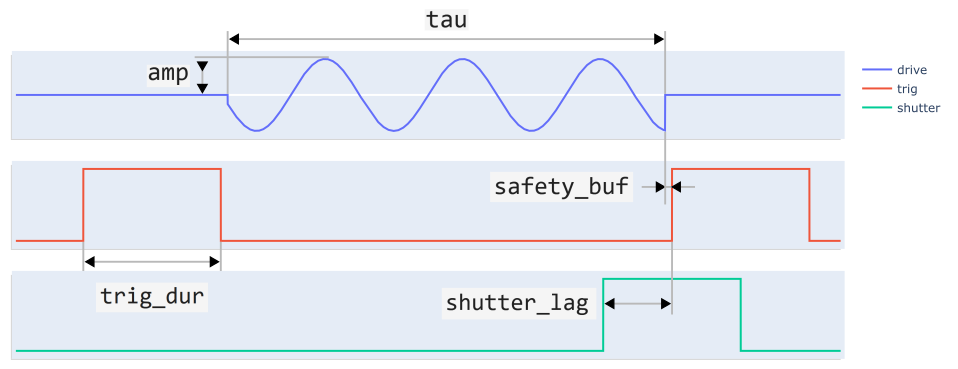
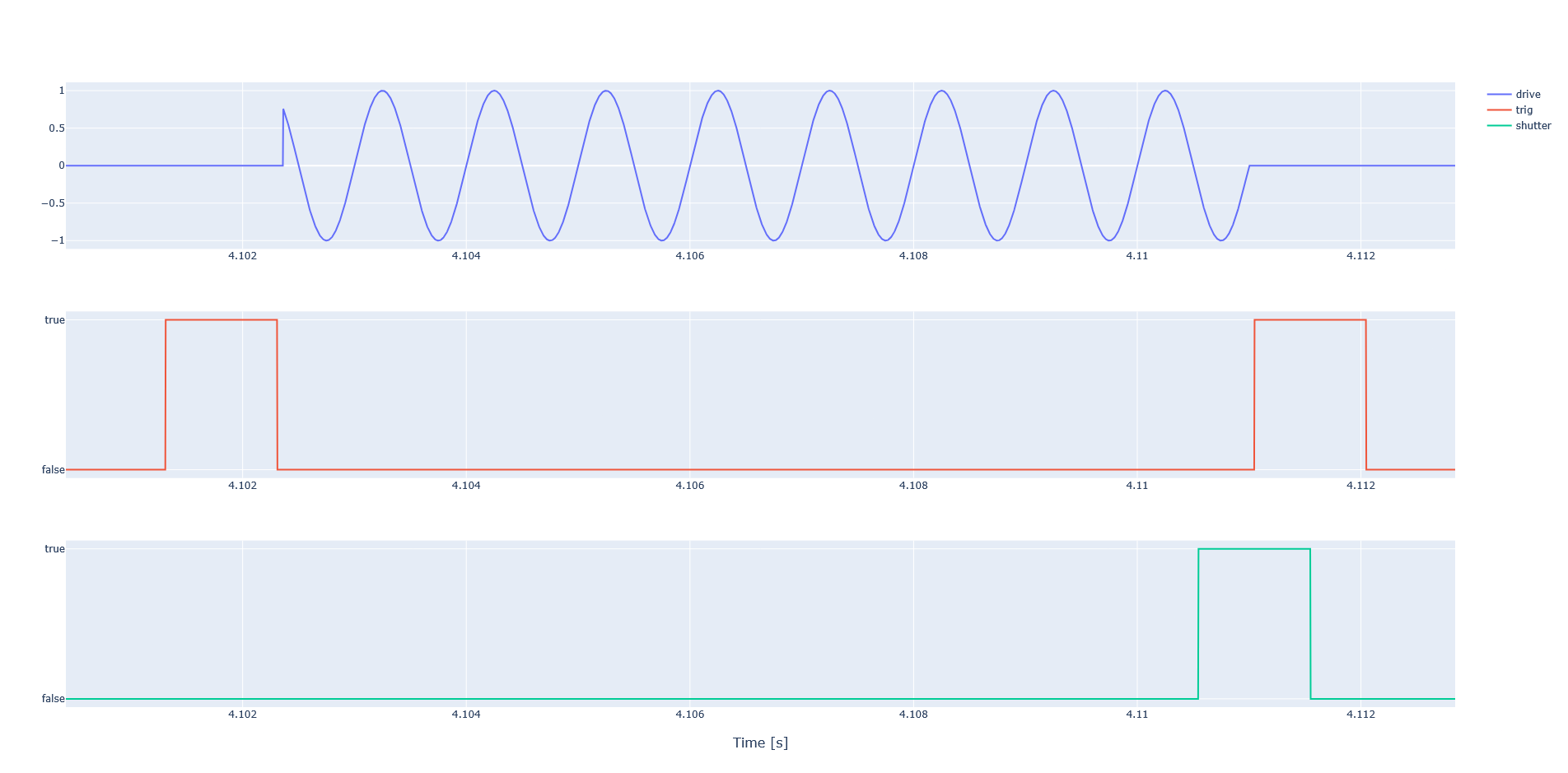
Let’s consider the demo pulse sequence shown above. The task is to sweep both amplitude amp and duration tau of the drive pulse. Let’s also send the shutter pulse a bit ahead of time to compensate for some lag - such that the actual shutter-open period aligns with the trigger pulse.
Script#
# Two parameters to sweep:
tau_arr = np.linspace(1, 10, 100) * 1e-3
amp_arr = [0.1, 0.2, 0.3, 0.5, 1.0]

# Constant parameters
freq = 1e3
trig_dur = 1e-3
shutter_lag = 500e-6
safety_buf = 50e-6
rep_gap = 1e-3
When scripting a sequence, one typically determines the start time of each subsequent pulse based on the end time of other recent ones. It is convenient to use a helper variable which keeps track of time as sequence grows. It starts at zero and is incremented when adding pulses.
Tip
All methods adding fixed-duration pulses return the duration value - convenient for incrementing the helper variable in the same line.
ni_strmr.clear_edit_cache()

# Helper variable to keep track of time:
t = 0

for amp in amp_arr:
    for tau in tau_arr:

        # 1st trig pulse
        t += trig.high(t=t, dur=trig_dur)
        t += safety_buf

        # Sine drive pulse
        t += drive.sine(t=t, dur=tau, amp=amp, freq=freq)
        t += safety_buf

        # Simultaneous 2nd trig and shutter pulses
        trig.high(t=t, dur=trig_dur)
        shutter.high(t=t-shutter_lag, dur=trig_dur)  # adjusted start time to compensate for lag
        t += trig_dur

        # Buffer before next repetition
        t += rep_gap
Compile, preview, and stream#
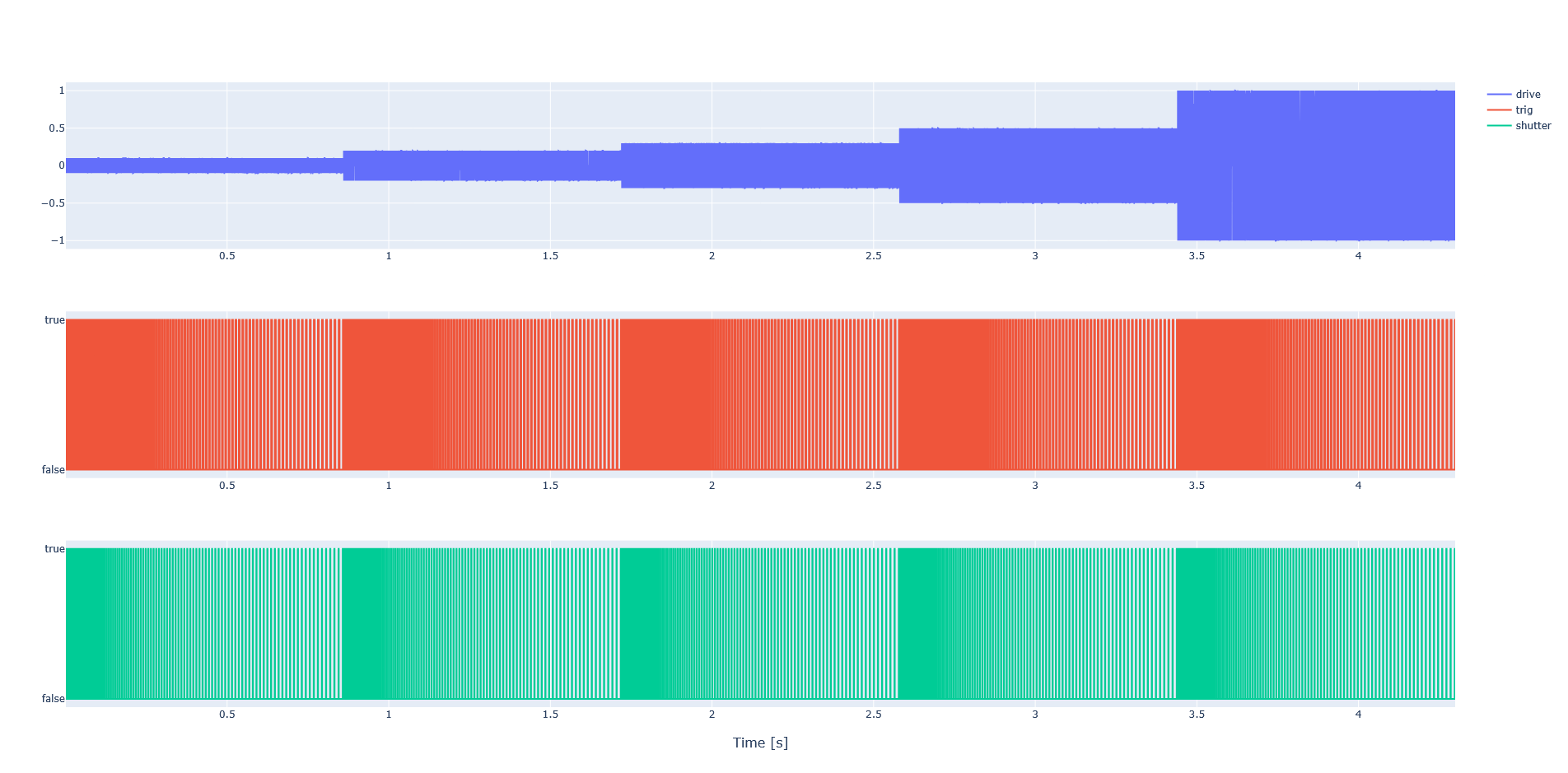
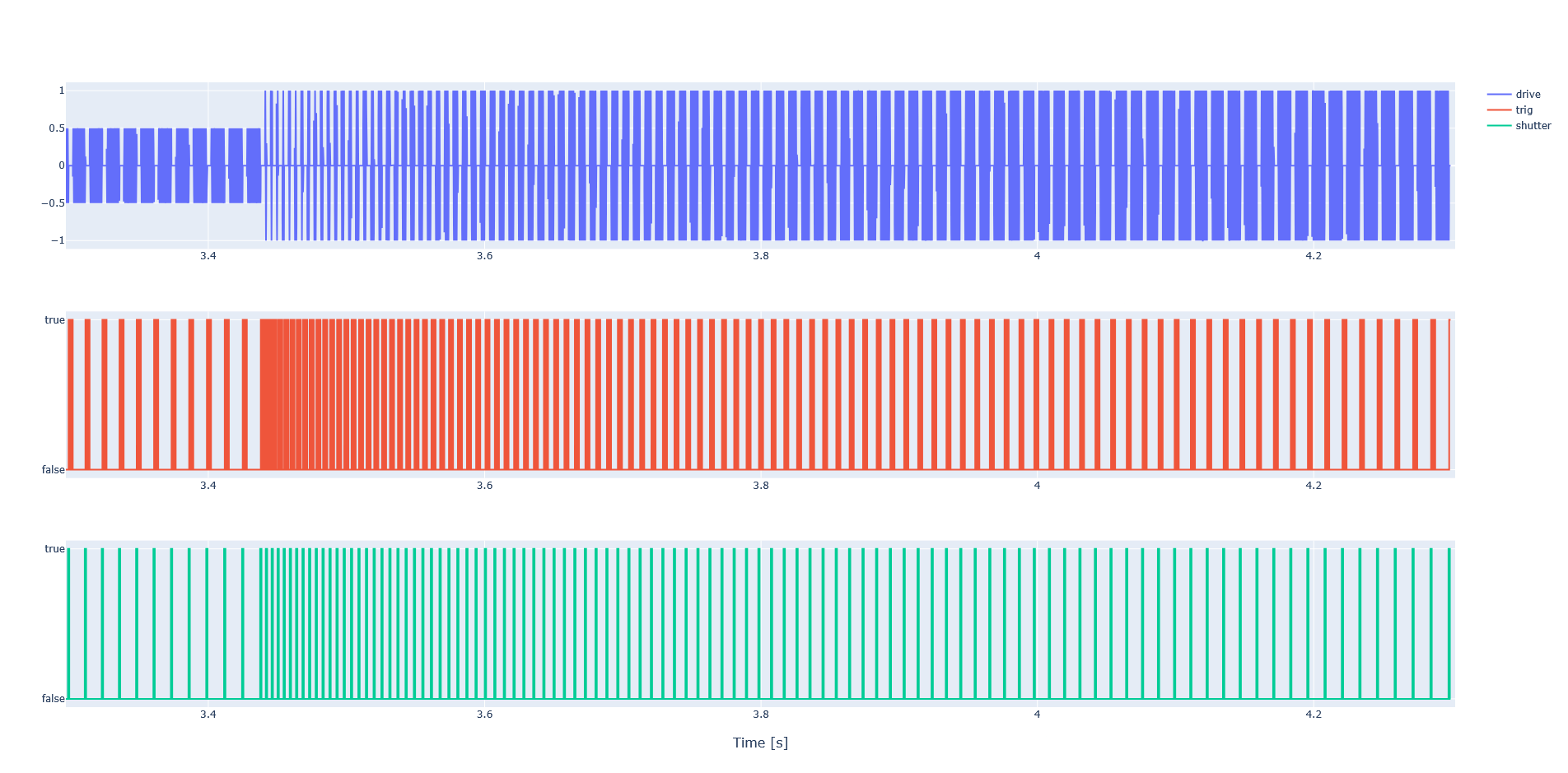
ni_strmr.compile();
iplot(
    chan_list=[drive, trig, shutter],
    start_time=0.123,
    end_time=0.129,
    nsamps=int(1e3)
)
ni_strmr.run()